This release focuses on issue fixes, as well as improving usability for Fleet Users and Service Providers.
Issue Fixed: Phone Field Displaying Address Information
Prior to this release, when searching for a Service Provider to initiate a service request, Fleet Users who clicked to view details about a specific Service Provider would see the Phone field pre-populated with an address instead of the Service Provider’s phone number.
This issue has been resolved so that when a Fleet User clicks on a Service Provider’s name, the modal that opens will display the provider's phone number in the Phone field, or if no phone number data is available, the Phone field will be blank.
Issue Fixed: Export Case Button Allowing Multiple Repair Orders
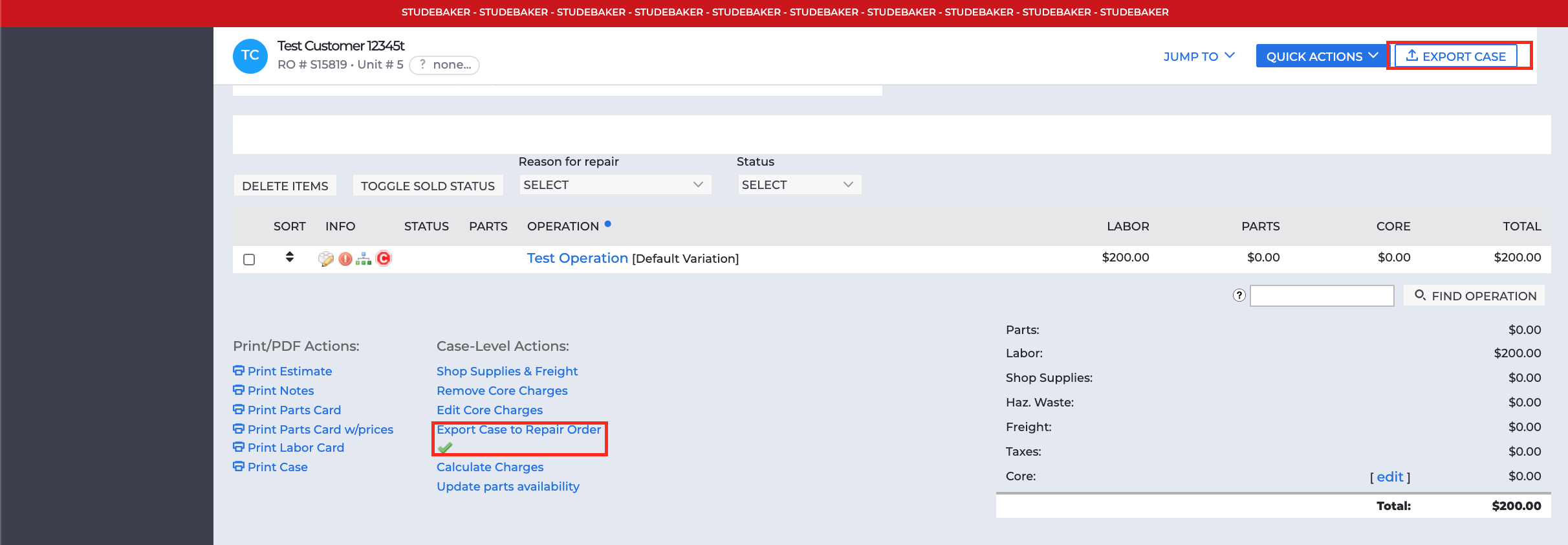
Previously, Service Providers could click the EXPORT CASE button multiple times, resulting in duplicate Repair Orders.
This issue has been fixed, so if a user clicks the EXPORT CASE button multiple times, the system will only initiate one export request. Additionally, with this release, Export Status will now be shown dynamically in the Quickstop Banner section of the Editing Case page and next to the Export Case to Repair Order link without requiring the user to refresh their page.
Additional Repair Status Options Enabled
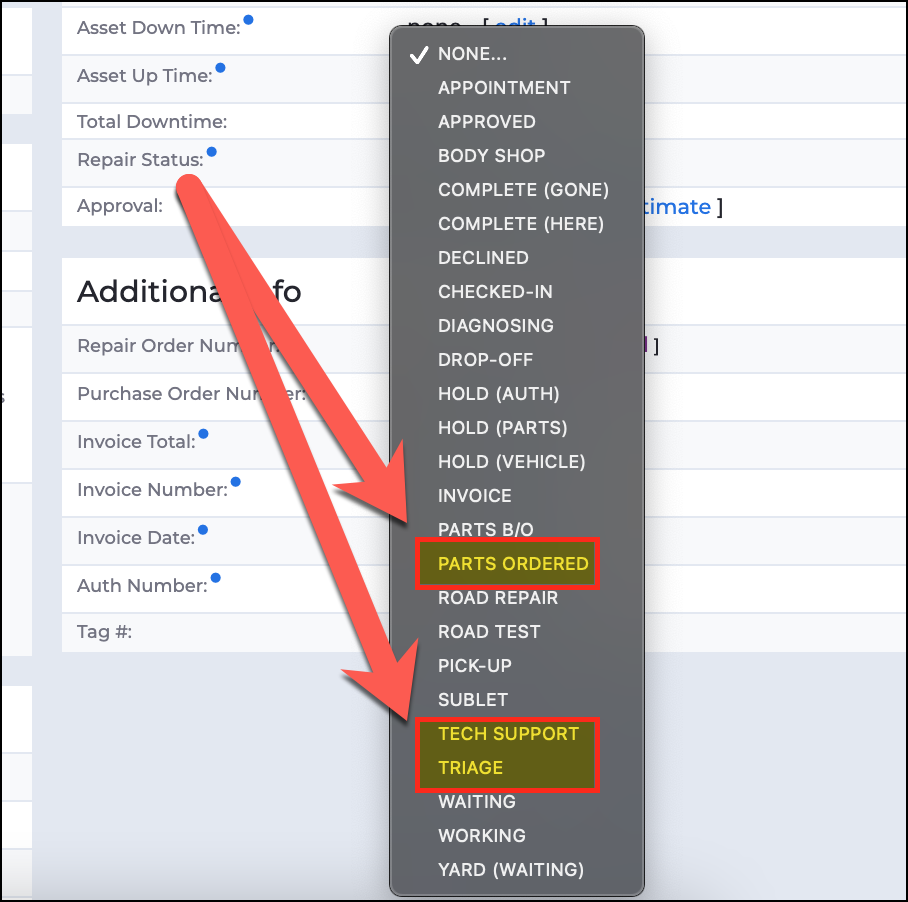
With this release, we improved the user experience for Service Providers by enabling additional Repair Status options to choose from when updating a case. This will give them the ability to better communicate any changes regarding the case they’re working on.
Service Providers will now see the following three options in the Repair Status drop-down in the Status Info section on the Editing Case page:
- “PARTS ORDERED”
- “TECH SUPPORT”
- “TRIAGE”
Comments
0 comments
Please sign in to leave a comment.